Guide for Canadian businesses

How to Get a Google Review Card in Canada

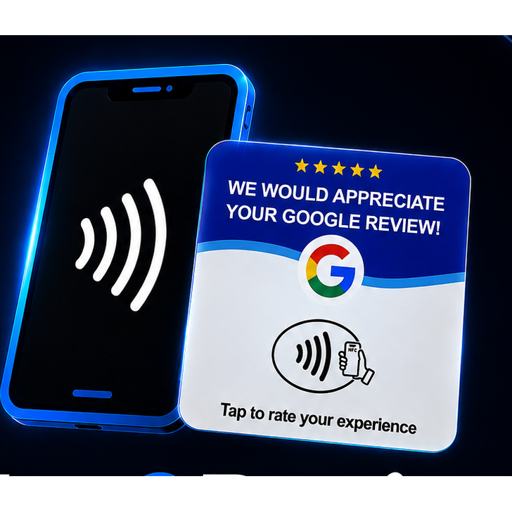
A Google review card is a small NFC card that opens your Google review page when a customer taps it with their phone. Here's exactly how to get one, set it up, and start making it easier for happy customers to leave a review — in about ten minutes of your time.

1. Claim your Google Business Profile

Your review card points to your Google review page, so you need a Google Business Profile first. Search your business name on Google — if it appears, claim it; if not, create one at google.com/business. Verification usually takes a few days.

2. Find your Google review link

Once your profile is live, open it and look for “Ask for reviews” — Google gives you a short link that opens your review form directly. That link is what gets programmed into your cards. Don't have it handy? We find it for you when you order.

3. Order your review cards

Choose a pack size that fits your team — one card per staff member or location works best. Tap2Review cards are made for Canadian businesses: priced in CAD, no subscriptions, and free shipping across Canada and the US.

4. We program and ship them

Every card is programmed to open your exact Google review page before it ships. You don't need an app, a QR code printer, or any technical setup — cards arrive ready to use.

5. Ask at the right moment

When a customer tells you they had a great experience, hand them the card: “If you have a second, just tap this — it goes straight to our Google page.” The customer taps with their phone, your review form opens, and they leave a review in under a minute.

Ready to get your cards?

Tap2Review cards are made for Canadian businesses — priced in CAD, programmed to your Google review page before they ship, and delivered free across Canada and the US. No subscriptions, ever.

The Starter Bundle pairs 25 review cards (free shipping) with our complete Business Blueprint course.

Common questions

Google Review Card FAQ

Everything Canadian business owners ask us before ordering.

Do customers need an app to tap the card?

No. NFC is built into virtually every modern smartphone. The customer just holds their phone near the card and your Google review page opens in their browser — no app, no account, no download.

Does the card work with iPhones and Android?

Yes. iPhone 7 and newer and virtually all Android phones from the last several years read NFC tags automatically. The card also works as a normal card to hand over with a QR-free tap.

Is there a monthly fee?

No. Tap2Review cards are a one-time purchase. There are no subscriptions, no per-review charges, and no software to pay for.

How long does shipping take in Canada?

Shipping is free across Canada and the US. We program every card to your Google review link before it ships and email you tracking details once your order is on its way.

What if my Google review link changes?

Your review link stays the same as long as your Google Business Profile does. If you ever rebrand or move, contact us and we'll help you update your cards.

Based in Brantford, Ontario — serving businesses across Canada. Questions? Contact us.